
8.0
热点
AI SCORE
技术实践2026-08-07 07:30
AI 应用生产化的成本与扩容指南
dev.to · AI#生产部署#成本优化#扩容
Editor brief · 编辑速览
文章聚焦 RAG、Agent 和多 Agent 流程从本地实验转向生产后暴露的账单、延迟与扩容问题。其价值在于结合实际数字、代码和踩坑经历讨论容量及成本控制。
作者:Syed Muhammad Ali Raza
写到这个系列的第七篇文章,我一直在悄悄回避其中最不光鲜、却也最昂贵的一课。到目前为止,我们构建的所有东西——RAG、智能体、多智能体流水线——在我的笔记本电脑上运行得都很好,因为唯一的用户就是我自己。我可以耐心等待每次响应所需的几秒钟,也不在意成本,因为我每天可能只会发起五十次请求。
生产环境完全是另一回事。我以一种颇具“戏剧性”的方式认识到了这一点:看到一张完全出乎意料的账单后,我盯着它足足看了一分钟,才明白发生了什么。这篇文章包含了我希望自己在那一刻之前就已经知道的一切:真实的数据、真实的代码和真实的错误。这样,你就可以跳过代价高昂的教训,直接学到真正有用的经验。
一个发生在可怕账单之前的现实生活示例
想象一下,为自己的家人做一顿晚餐,与为一场三百人的婚礼提供餐饮服务之间有什么区别。
给四个人做饭时,很多事情你都可以随机应变。某种食材用完了,去一趟商店就好,没什么大不了的。因为分心,饭菜晚了十分钟,也不会真的有人介意。上菜之前,每样东西都由你亲自品尝,所以所谓的质量控制,其实就是你自己。
为一场三百人的婚礼提供餐饮,则是完全不同的运作方式。如果在供餐过程中某样东西用完了,你不能只是“去一趟商店”。你必须提前精确计算好每样东西需要多少,并留出余量。如果摆好一盘菜要多花十秒,而你需要重复三百次,那就是计划之外的五十分钟,此时宾客们已经饿着肚子站在那里等待。你确实不可能在每一盘菜端出去之前都亲自品尝,因此你需要一套系统:由主厨进行抽查,并建立一套无需你亲自检查每一份餐食,也能及时发现问题的流程。
本文中的每个问题,本质上都是从给四个人做饭跃迁到为三百人提供餐饮服务的某种版本。以前因为请求数量很少而无关紧要的成本,在规模扩大后突然变得极其重要。单次请求中看似可以接受的延迟,在数千个请求面前会成为真正的瓶颈。而过去只需要你亲自扫一眼输出就能完成的质量控制,现在确实需要一套真正的系统。这正是本系列上一篇文章讨论评估(evals)的原因——这并非巧合,而是本文内容的直接前提。
问题一:让你不得不坐下来缓一缓的账单
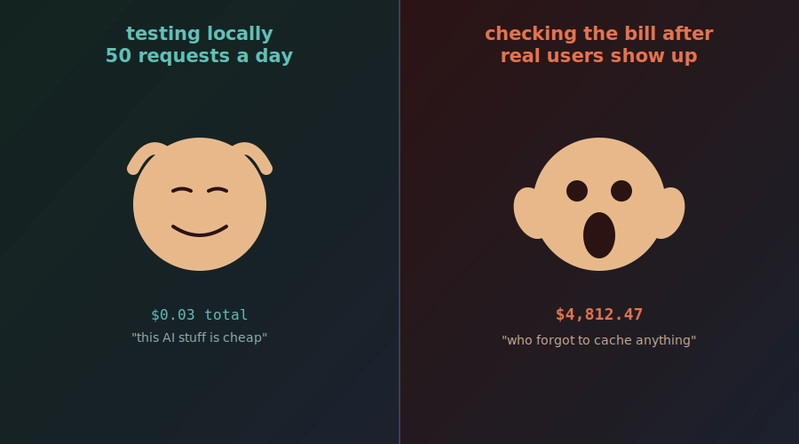
下面是我亲自踩过的坑。在本地测试时,我每天可能会发送五十次请求。即使提示词稍微有些浪费,在这种调用量下也只需要花几分钱,所以我确实从未注意到这个问题。后来,我构建的一个小功能开始有了真正的日活用户,人数达到几百,每个用户在一次会话中都会触发多次模型调用。一直以来使用的那个“稍微有些浪费”的提示词,突然开始迅速累积出一笔实实在在的费用。
解决这个问题,首先要在收到意外账单之前真正测量自己的支出,而不是事后才去统计。
解决方案:真正跟踪每次请求的 token 用量和成本
import anthropic

client = anthropic.Anthropic(api_key="your-api-key-here")

# rough per million token pricing, check current pricing for your
# exact model since this changes and varies by model
PRICING_PER_MILLION_TOKENS = {
    "input": 3.00,
    "output": 15.00
}

def call_with_cost_tracking(prompt, system=None):
    response = client.messages.create(
        model="claude-sonnet-4-6",
        max_tokens=1000,
        system=system or "",
        messages=[{"role": "user", "content": prompt}]
    )

input_tokens = response.usage.input_tokens
    output_tokens = response.usage.output_tokens

input_cost = (input_tokens / 1_000_000) * PRICING_PER_MILLION_TOKENS["input"]
    output_cost = (output_tokens / 1_000_000) * PRICING_PER_MILLION_TOKENS["output"]
    total_cost = input_cost + output_cost

print(f"Tokens: {input_tokens} in, {output_tokens} out, cost: ${total_cost:.5f}")

return response.content[0].text, total_cost
当我真正把这个数字放到眼前,让每一次调用都清楚显示成本之后,几个很容易修复的问题立刻浮现了出来。之前我只是凭肉眼查看响应时,这些问题根本看不见。
解决方案:不要重复发送你不需要的内容
对我个人而言,效果最显著的一项修复,就是意识到自己在每一个提示词中塞入了多少重复且不必要的内容。如果你的系统提示词很长,并且在各次请求之间几乎完全相同;或者你在一次对话的每次调用中,都重新发送相同的参考文档,那么你实际上是在一次又一次地为同一批 token 支付全额费用。
# BEFORE, wasteful, resending the entire reference document
# on every single question in a RAG style setup
def answer_wastefully(question, full_document):
    prompt = f"Document:\n{full_document}\n\nQuestion: {question}"
    # this document might be thousands of tokens, paid for
    # again on every single question asked about it

# BETTER, only retrieve and send the specific relevant chunks,
# exactly like we covered back in the RAG article in this series
def answer_efficiently(question, relevant_chunks_only):
    prompt = f"Context:\n{relevant_chunks_only}\n\nQuestion: {question}"
    # dramatically fewer tokens per call, same or better quality,
    # because the model isn't wading through irrelevant text either
如果你跳过了本系列前面的 RAG 文章,那么这里确实又提供了一个说明这种模式为何重要的理由:它不仅关乎准确性,还会直接控制每次请求的成本。
解决方案:缓存那些会被反复询问的响应
真实流量中有很大一部分是重复的——不同用户会提出相同或非常相似的问题。每次都支付全额费用来重新生成完全相同的答案,无异于白白浪费钱。
import hashlib
import json

# a simple in memory cache, a real production system would use
# something like Redis so the cache survives restarts and is
# shared across multiple servers
response_cache = {}

def get_cache_key(prompt, system):
    combined = f"{system}||{prompt}"
    return hashlib.sha256(combined.encode()).hexdigest()

def call_with_caching(prompt, system=None):
    cache_key = get_cache_key(prompt, system or "")

if cache_key in response_cache:
        print("Cache hit, no API call made, cost: $0.00000")
        return response_cache[cache_key]

response = client.messages.create(
        model="claude-sonnet-4-6",
        max_tokens=1000,
        system=system or "",
        messages=[{"role": "user", "content": prompt}]
    )
    result = response.content[0].text
    response_cache[cache_key] = result
    return result
对于真正动态的对话助手来说,这种方式的价值有限,因为完全相同的请求并不常见。但对于 FAQ 类问题、常见查询或重复的工具输入,仅靠缓存就能在完全不影响质量的前提下,显著削减账单中的一部分费用。
解决方案:不要为每项任务都使用最昂贵的模型
事后看来,这一点似乎显而易见,但在账单迫使我面对它之前,我确实从未认真考虑过。并非每项任务都需要使用能力最强、价格最高的模型。简单分类、基础提取和简短的事实查询,通常使用更小、更便宜的模型就能很好地完成;而昂贵的模型则应专门留给那些真正需要强大推理能力的高难度任务。
def route_to_appropriate_model(task_type, prompt):
    # simple tasks go to a smaller, cheaper, faster model
    simple_tasks = ["classification", "extraction", "simple_lookup"]

if task_type in simple_tasks:
        model = "claude-haiku-4-5"  # smaller and meaningfully cheaper
    else:
        model = "claude-sonnet-4-6"  # save the bigger model for genuinely hard reasoning

response = client.messages.create(
        model=model,
        max_tokens=500,
        messages=[{"role": "user", "content": prompt}]
    )
    return response.content[0].text
仅这一项改动——将简单任务路由到更便宜的模型,并把昂贵的模型留给真正困难的工作——最终就成为我降低成本幅度最大的措施之一。而且说实话,它也是最容易真正实现的措施之一。
问题二:我自己测试时一切正常,直到真实流量到来
一名开发者在本地测试时,会发送一个请求,等待响应,然后再发送下一个请求。真实的生产流量不会这样礼貌地排队等待。几十甚至几百个请求可能会在几乎同一时刻涌入系统,而 AI API 存在速率限制,也就是限制你每分钟最多可以发送的请求数量或 token 数量。

解决方案:妥善处理速率限制,而不是直接崩溃
import time
import random
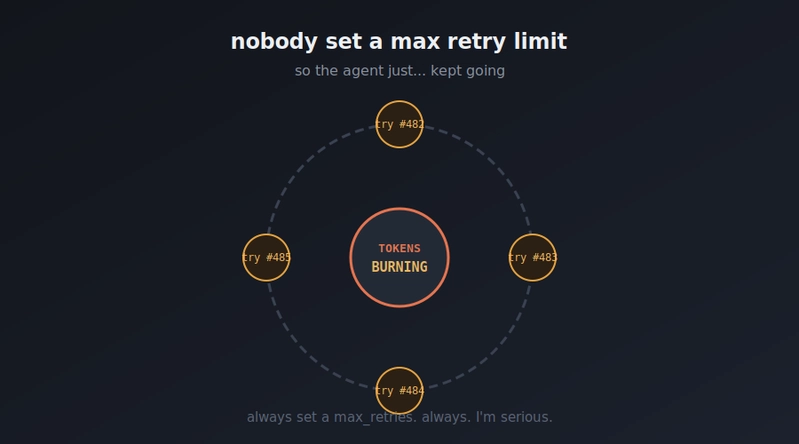
def call_with_retry(prompt, max_retries=5): for attempt in range(max_retries): try: response = client.messages.create( model="claude-sonnet-4-6", max_tokens=1000, messages=[{"role": "user", "content": prompt}] ) return response.content[0].text
except anthropic.RateLimitError: # exponential backoff, wait longer after each failed # attempt, with a little randomness so many waiting # requests don't all retry at the exact same moment wait_time = (2 ** attempt) + random.uniform(0, 1) print(f"Rate limited, waiting {wait_time:.1f}s before retry {attempt + 1}") time.sleep(wait_time)
except anthropic.APIError as e: print(f"API error, {e}") if attempt == max_retries - 1: raise
raise Exception("Max retries exceeded")
等待时间中的随机性比看起来重要得多。这被称为抖动(jitter),它专门用于防止“惊群问题”:一大批请求同时失败,随后又在完全相同的时刻重试,立即再次触发速率限制,并陷入循环。
解决方案:不要让一个缓慢的请求阻塞其他所有请求
如果你的应用需要服务多个用户,那么一个缓慢的 AI 响应绝对不应该让整个应用停滞,导致其他所有人都只能等待。这正是异步处理和后台任务队列要解决的问题:让请求真正并行执行,而不是在一条阻塞链路中逐个处理。
import asyncio from anthropic import AsyncAnthropic
async_client = AsyncAnthropic(api_key="your-api-key-here")
async def call_model_async(prompt): response = await async_client.messages.create( model="claude-sonnet-4-6", max_tokens=500, messages=[{"role": "user", "content": prompt}] ) return response.content[0].text
async def handle_multiple_requests(prompts): # these all run concurrently instead of one after another, # a real difference between a few seconds and a few minutes # once you're dealing with dozens of simultaneous requests tasks = [call_model_async(p) for p in prompts] results = await asyncio.gather(*tasks) return results
prompts = ["Summarize topic A", "Summarize topic B", "Summarize topic C"] results = asyncio.run(handle_multiple_requests(prompts))
问题三:你真的完全不知道生产环境里正在发生什么
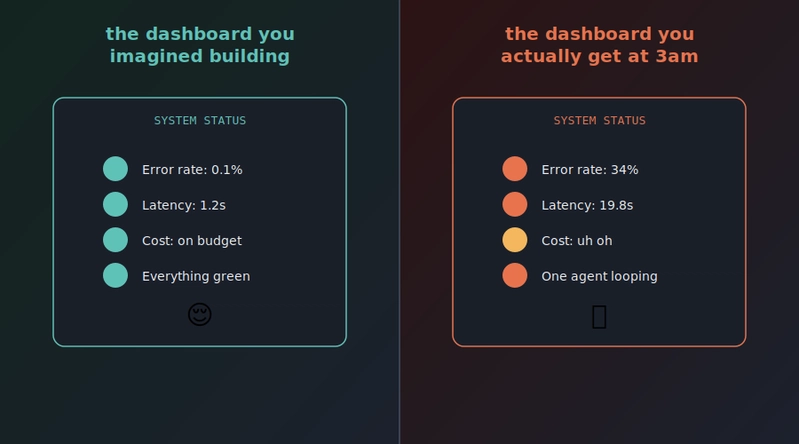
这是我真正认真思考之后最害怕的问题。在本地,如果出了问题,我能立即在终端中看到。但在生产环境里,真实用户可能身处世界另一端;凌晨三点,某个功能可能悄无声息地发生故障,而你也许要等到几天后用户投诉才会发现——前提是他们愿意投诉,而不是直接离开。
解决方案:记录每一次调用,并保留足够的信息,以便日后真正进行调试
import logging import json import time import uuid
logging.basicConfig(level=logging.INFO) logger = logging.getLogger("ai_calls")
def call_with_full_logging(prompt, user_id, system=None): request_id = str(uuid.uuid4()) start_time = time.time()
log_entry = { "request_id": request_id, "user_id": user_id, "prompt_preview": prompt[:150], "timestamp": time.time() }
try: response = client.messages.create( model="claude-sonnet-4-6", max_tokens=1000, system=system or "", messages=[{"role": "user", "content": prompt}] )
duration = time.time() - start_time
log_entry.update({ "status": "success", "duration_seconds": round(duration, 2), "input_tokens": response.usage.input_tokens, "output_tokens": response.usage.output_tokens }) logger.info(json.dumps(log_entry))
return response.content[0].text
except Exception as e: duration = time.time() - start_time log_entry.update({ "status": "error", "duration_seconds": round(duration, 2), "error": str(e) }) logger.error(json.dumps(log_entry)) raise
这个 `request_id` 远比它看起来重要。当用户反馈“发生了一些奇怪的事情”时,如果能够追踪到确切的请求、确切的提示词、确切的响应和确切的时间信息,就能把一个模糊的投诉转化为真正可以调查的问题,而不是根据含糊的描述猜测究竟可能出了什么差错。

解决方案:建立真正的告警机制,不要指望自己主动发现问题

静静躺在文件里、从来没人查看的日志,基本上只是装饰品。当某项指标超过你认定的重要阈值时,你需要自动收到告警。
def check_and_alert(recent_calls): total = len(recent_calls) if total == 0: return
errors = sum(1 for c in recent_calls if c["status"] == "error") error_rate = errors / total
avg_duration = sum(c.get("duration_seconds", 0) for c in recent_calls) / total
if error_rate > 0.05: send_alert(f"Error rate spiked to {error_rate * 100:.1f}% over last {total} calls")
if avg_duration > 8: send_alert(f"Average response time hit {avg_duration:.1f}s, users are likely feeling this")
def send_alert(message): # in a real system this would post to Slack, PagerDuty, email, # whatever your team actually watches, not just a print statement print(f"ALERT: {message}")
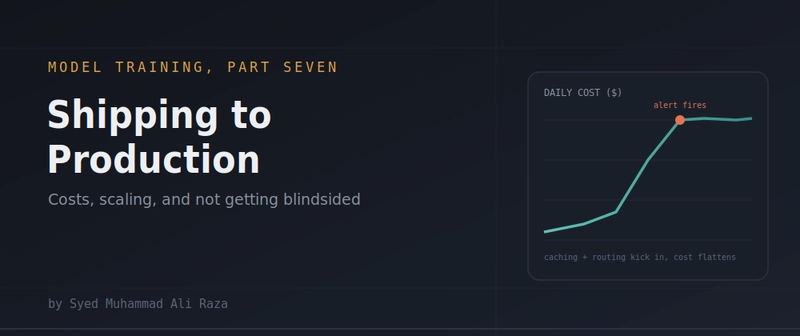
选择这些具体阈值——5% 的错误率、8 秒的平均响应时间——并不是第一天就能做对的事情。你需要根据特定用户真正关心的问题不断调整它们。但无论如何,设置一个能触发实际通知的明确阈值,都远胜于“如果哪里感觉不对,我应该能注意到”。毕竟,正是这种直觉此前已经让我吃过一次亏。

问题四:质量悄然下降,却没有任何人发现

这与本系列上一篇关于评估的文章直接相关。在生产环境中,提供商会更新模型;随着时间推移,你会不断进行小幅调整,自己的提示词也会逐渐偏移;当用户开始提出最初设计时未曾考虑的问题,流量模式同样会发生变化。没有任何东西崩溃,也没有抛出错误,整个系统只是在以简单的可用性检查永远无法发现的方式慢慢变差。

解决方案:持续针对实时流量运行评估套件,而不是只在部署前运行
import random
def sample_and_evaluate_production_traffic(recent_requests, sample_rate=0.05): # grab a random small slice of real production requests to # actually check quality on, running all of them would be # expensive and usually isn't necessary to catch real problems sample_size = max(1, int(len(recent_requests) * sample_rate)) sample = random.sample(recent_requests, min(sample_size, len(recent_requests)))
quality_scores = [] for request in sample: # reuse the exact llm_judge function built in the evals article score_result = llm_judge( request["response"], "The response should directly and accurately address what the user asked" ) quality_scores.append(score_result.get("score", 0))
if quality_scores: average_quality = sum(quality_scores) / len(quality_scores) print(f"Sampled {len(sample)} live requests, average quality score: {average_quality:.2f}/5")
if average_quality < 3.5: send_alert(f"Live traffic quality dropped to {average_quality:.2f}/5, investigate recent changes")
这确实是大多数团队都会跳过的部分,但它恰恰能捕获最隐蔽、最危险的一类故障:没有任何东西崩溃,没有任何地方报错,系统只是在所有仪表盘仍然显示绿色的同时缓慢恶化。
整合所有内容:一次真正达到生产就绪标准的调用
下面大致展示了如何将所有这些部分组合成一个你可以真正放心用于处理实际流量的函数。
def production_ready_call(prompt, user_id, system=None): # 1, check cache first, potentially save the call entirely cache_key = get_cache_key(prompt, system or "") if cache_key in response_cache: return response_cache[cache_key]
# 3, call with retry and backoff for rate limit resilience
# 4, log everything with a traceable request id
# 5, a small percentage of these results later get sampled
#    into the quality eval check shown above
result, cost = call_with_cost_tracking(prompt, system) response_cache[cache_key] = result return result
这里的任何单独一项本身都不复杂。成本跟踪、缓存、重试、日志记录、告警、持续的质量抽样,每一项都是确实很小且容易理解的补充。真正让一个系统达到生产就绪状态的,并不是什么巧妙的绝招,而是要把所有这些微小、乏味、不够光鲜的环节一起落实到位。这样,当凌晨三点不可避免地出现问题时,你会通过告警得知,而不是从愤怒的用户那里得知;同时,你手头也会有真正的数据,能够快速解决问题,而不必靠猜测。

## 回到整个系列

这个系列最初从一个仅凭记忆回答问题的普通模型讲起,而现在,我们最终构建出了一个完整的生产系统:它以你自己的数据为依据,能够执行实际操作,可以抵御操纵,能够协调多个专业化的 AI 智能体,持续评估质量,并且如今已经可以在真实规模下运行,既不会悄悄耗尽你的资金,也不会无声无息地发生故障。从一个有趣的本地演示,到一个你真正愿意交给真实用户并投入真实预算的系统,这整段历程正是大多数严肃的 AI 产品都会经历的过程。现在,你已经逐步看完了其中的每一个环节。

如果你也收到过出乎意料的 AI 账单,我确实很想知道它是由什么造成的:缓存配置错误、失控的 AI 智能体循环,还是完全不同的原因。这样的经历中总会藏着值得吸取的教训。

若要采取进一步措施,你可以考虑屏蔽此人和/或举报滥用行为。