
8.0
热点
AI SCORE
工具产品2026-09-30 01:15
OpenAI推出Dots:基于GPT-6 Astra的常驻智能体
The New Stack#OpenAI#Agent#Dots
Editor brief · 编辑速览
Dots是OpenAI的持久化智能体产品,基于GPT-6 Astra构建,能自动修复bug、发送遗漏发票等,可通过ChatGPT/Slack/Teams触达。
以下是文章全文翻译:
We're so glad you're here. You can expect all the best TNS content to arrive Monday through Friday to keep you on top of the news and at the top of your game.
Check your inbox for a confirmation email where you can adjust your preferences and even join additional groups.
Follow TNS on your favorite social media networks.
Become a TNS follower on LinkedIn.
Check out the latest featured and trending stories while you wait for your first TNS newsletter.
At its DevDay event on Tuesday, OpenAI introduced Dots: persistent agents built on GPT-6 Astra that run on their own cloud computers, use their own browsers, and can reach more than 4,000 apps through OpenAI's plugin ecosystem.
Unlike most agents that wait for the next prompt, a Dot keeps working when you step away. It can juggle several projects at once and carry what it knows between ChatGPT, Slack, and Microsoft Teams. You can also open its cloud computer to see what it's doing or give it permission to work directly from your laptop.
Unlike most agents that wait for the next prompt, a Dot keeps working when you step away.
OpenAI's developer example shows a Dot taking on much of the work between identifying a problem and delivering a fix. It can watch customer feedback for recurring requests, scope smaller improvements and bug fixes, build and test changes, and return finished pull requests with videos showing what changed. Developers can then review the work while staying focused on larger features.
Inside OpenAI, the company said, Dots start investigating when a bug appears in Slack. In another example, a Dot can turn a new design into a working app while the team stays focused on customer feedback.
Developers can give a Dot new tasks while it's still working on others, without starting a new thread or walking it through every step. And the work isn't limited to coding. OpenAI showed Dots rerunning scientific analyses as new data comes in, updating sales proposals as customer requirements change, and turning interview transcripts into clips, show notes, and social posts.
An agent that works around the clock unsupervised needs limits on what it can do, and OpenAI separates finding work from acting on it. When a user isn't actively working with a Dot, it can perform what OpenAI calls "proactive research," looking through connected apps for ways to help. But that access is read-only, meaning the Dot can't send messages, change app content, or control a browser or computer.
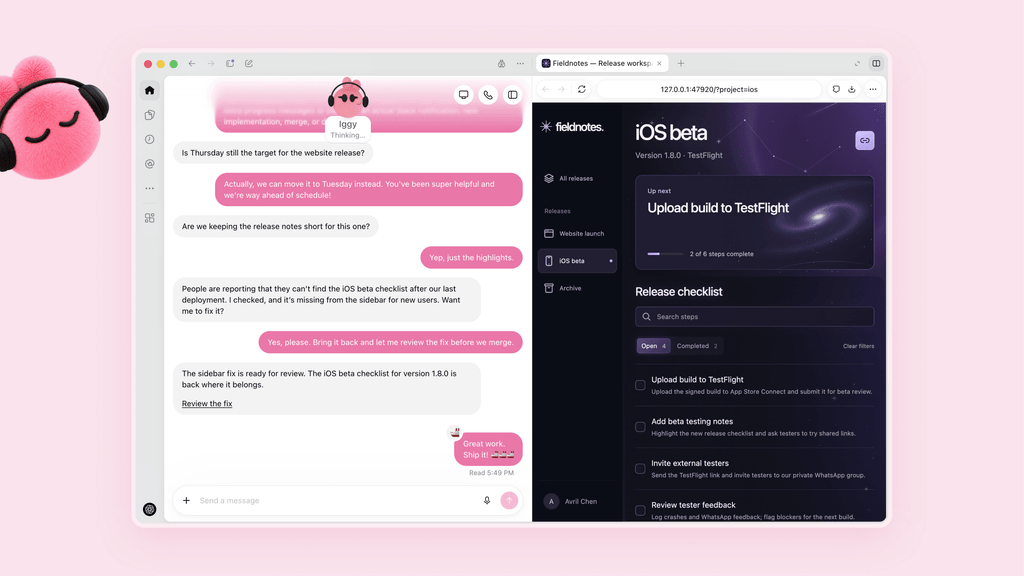

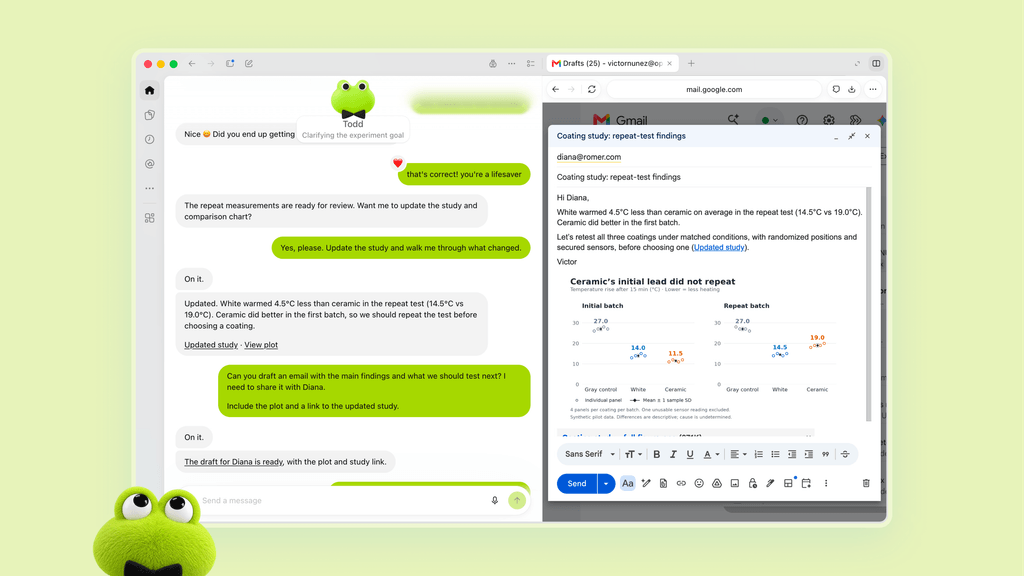
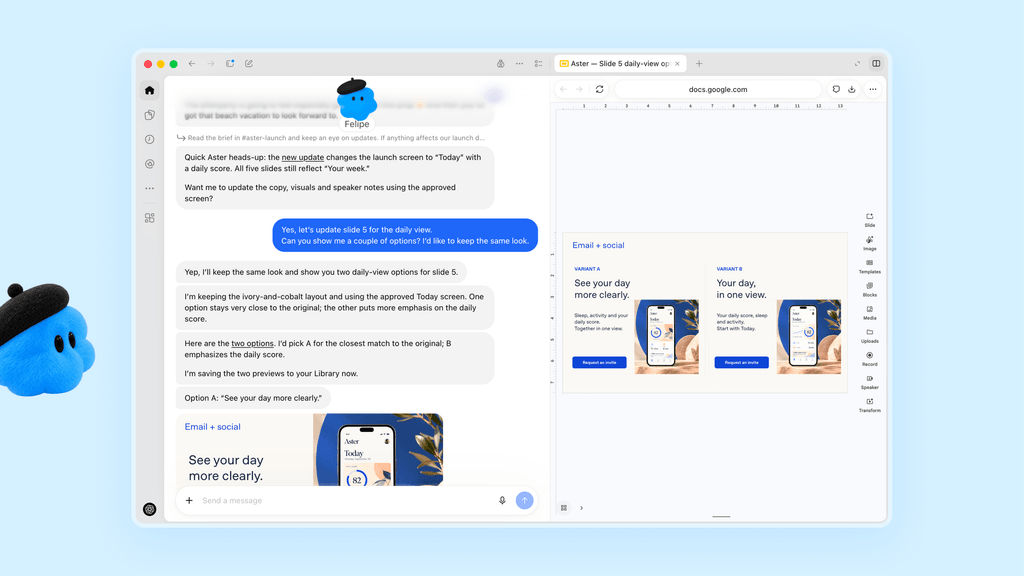
Examples of Dots in use. Click on an image for a larger view. (Credit: OpenAI)
Actions that could affect a user's accounts or share information pass through a separate "auto-review" step that checks them against the user's instructions, OpenAI's safety requirements, and any Custom Rules the user has set. Those rules can let specific actions proceed on their own, require approval or block them, while certain sensitive tasks, such as changing a password, always stay with the user.
An agent that works around the clock unsupervised needs limits on what it can do, and OpenAI's approach is to separate finding work from acting on it.
OpenAI promises Dots also include safeguards against malicious instructions, a real concern for an agent reading content from thousands of connected apps, along with a monitoring system that can pause or stop a Dot when it detects a safety problem. Users can track everything a Dot does, including background work, in an Activity View and redirect it from there. OpenAI cautions that Dots can still make mistakes and recommends reviewing consequential work.
The user's own computer stays separate from the Dot's environment unless they choose to connect it, and on supported websites a Dot can sign in with saved passwords without exposing them to the model. OpenAI says it does not use content from Business, Enterprise, or Education workspaces to improve its models by default; personal plan users can control whether their Dots' conversations and work are used for training, and it does not train directly on proactive research or on the notes a Dot writes to itself, though information from them may be used if it informs an eligible conversation or task, depending on a user's settings.
OpenAI also previewed specialist Dots, which an organization provisions with their own identity, credentials, IT-provisioned hardware, and access to systems of record so each one owns a defined workflow instead of assisting a single employee.
The company has tested the approach internally in procurement, invoice processing, email marketing, customer support, and commercial contracting, and it plans to begin external deployments through enterprise pilots in which OpenAI engineers work with customers to define each Dot's responsibilities, tool access, and review points.
OpenAI is also working with Microsoft to integrate specialist Dots with the governance and security controls in Agent 365, so administrators can manage them through tooling they already run.
Dots are rolling out now to ChatGPT Pro and Business Premium users in eligible markets, with one Dot included in those plans at no extra cost. Enterprise customers, including Edu and Healthcare, can use the beta once a workspace admin enables it. Setup happens in the ChatGPT desktop app or a desktop browser, after which the Dot is also reachable from the mobile app, and OpenAI says text messaging support is coming soon.
Conversations with a Dot do not count toward ChatGPT usage limits, although tasks it starts or manages in Codex or ChatGPT Work draw from those products' limits as usual. Plans include an allowance for deeper work, with extended limits for the first month after launch.
OpenAI plans to let customers add more Dots and increase either a Dot's speed or the amount of work it can take on each month.