文章学习导航
面试总览
30 秒速记
- 代理拦截对象操作,读取关联当前副作用
- 写入、删除与遍历依赖分别触发通知
- 代理缓存保持身份,嵌套对象继续响应化
- 原始对象与代理不是同一个引用
- 解构原始值会脱离后续属性访问
Vue 3 的响应式对象通过代理观察操作,把读过某个属性的工作与它关联起来。 受跟踪函数执行时读取会登记依赖,写入或删除再通知相关工作;集合和遍历需要另外处理,不能只写一个简单的取值与赋值拦截。代理通常会被缓存以保持身份。业务尽量沿响应式引用读写,取出一个原始值后再修改局部变量,不会自动回写源对象。
版本校准: 本文出现 Object.defineProperty、Dep、Watcher 和双端 Diff 时,主要描述 Vue 2 实现;Vue 3 使用 Proxy、effect 与新的渲染器路径。Vue 2 已于 2023-12-31 结束维护,新项目应以 Vue 3 为基线,旧项目参考 Vue 2 EOL 官方说明 制定迁移与安全策略。
# 源码结构
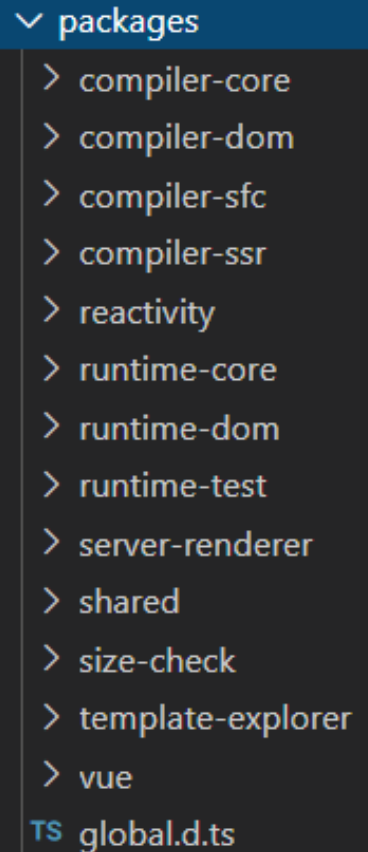
源码位置是在
packages文件件内,实际上源码主要分为两部分,编译器和运行时环境
1. 编译器
compiler-core核心编译逻辑compiler-dom针对浏览器平台编译逻辑compiler-sfc针对单文件组件编译逻辑compiler-ssr针对服务端渲染编译逻辑
2. 运行时环境
-
runtime-core运行时核心 -
runtime-dom运行时针对浏览器的逻辑 -
runtime-test浏览器外完成测试环境仿真
-
reactivity响应式逻辑 -
template-explorer模板浏览器 -
vue 代码入口,整合编译器和运行时
-
server-renderer服务器端渲染 -
share公用方法
# Vue 3初探
<!DOCTYPE html>
<html lang="en">
<head>
<meta charset="UTF-8">
<meta name="viewport" content="width=device-width, initial-scale=1.0"> <meta http-equiv="X-UA-Compatible" content="ie=edge">
<title>hello vue3</title>
<script src="../dist/vue.global.js"></script>
</head>
<body>
    <div id='app'><h1>{{message}}</h1></div>
    <script>
Vue.createApp({
data: { message: 'Hello Vue 3!' }
}).mount('#app') </script>
</body>
</html>
@前端进阶之旅: 代码已经复制到剪贴板
# Composition API
Composition API字面意思是组合API,它是为了实现基于函数的逻辑复用机制而产生的
# 1. 数据响应式
<div>count: {{ state.count }}</div>
<script>
    const {
      createApp,
      reactive
} = Vue;
// 声明组件 const App = {
// setup是一个新的组件选项,它是组件内使用Composition API的入口 // 调用时刻是初始化属性确定后,beforeCreate之前
setup() {
// 响应化:接收一个对象,返回一个响应式的代理对象 const state = reactive({ count: 0 })
// 返回对象将和渲染函数上下文合并
        return { state }
      }
}
createApp(App).mount('#app') </script>
@前端进阶之旅: 代码已经复制到剪贴板
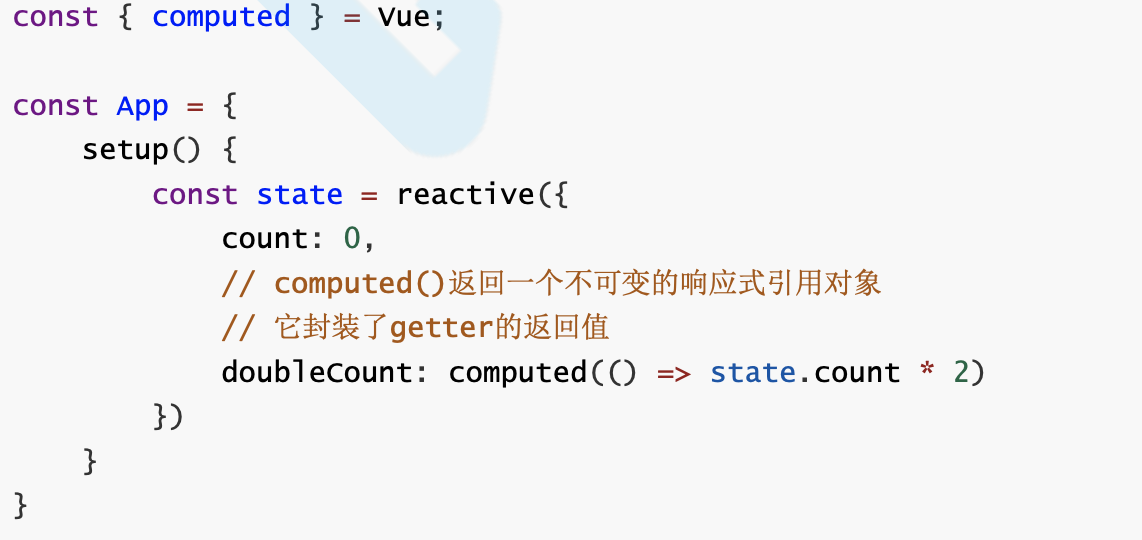
# 2. 计算属性
<div>doubleCount: {{doubleCount}}</div>
@前端进阶之旅: 代码已经复制到剪贴板
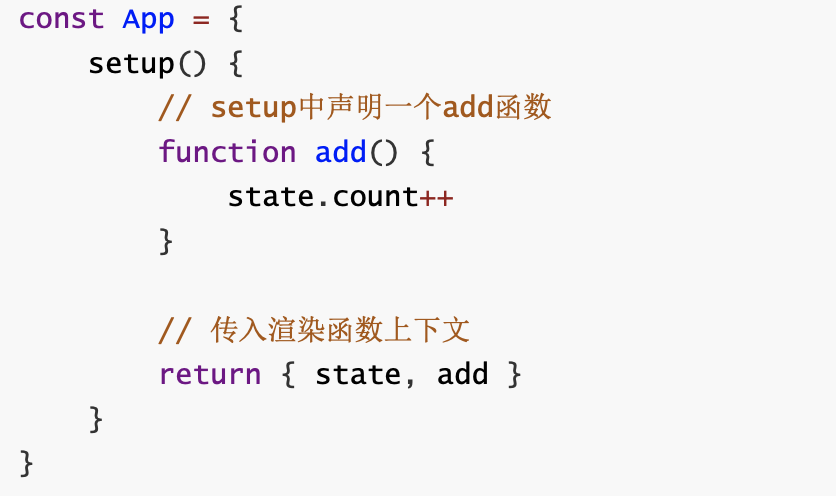
# 3. 事件处理
<div @click="add">count: {{ state.count }}</div>
@前端进阶之旅: 代码已经复制到剪贴板
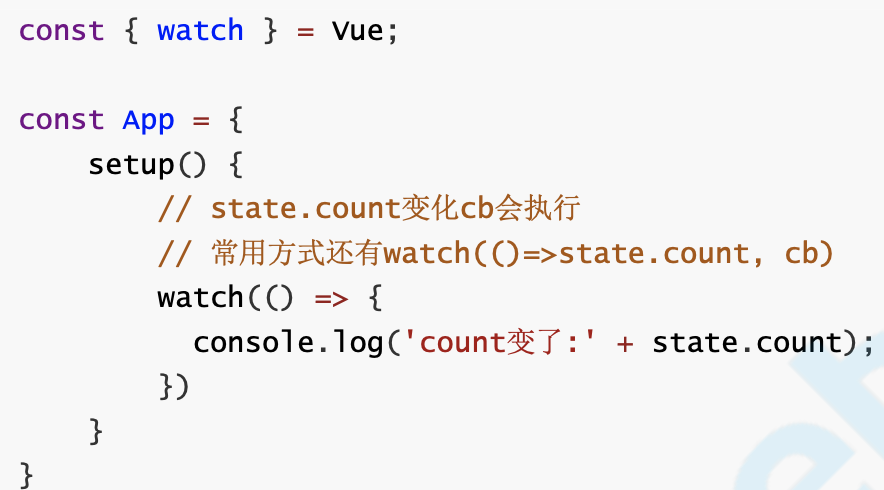
# 4. 侦听器
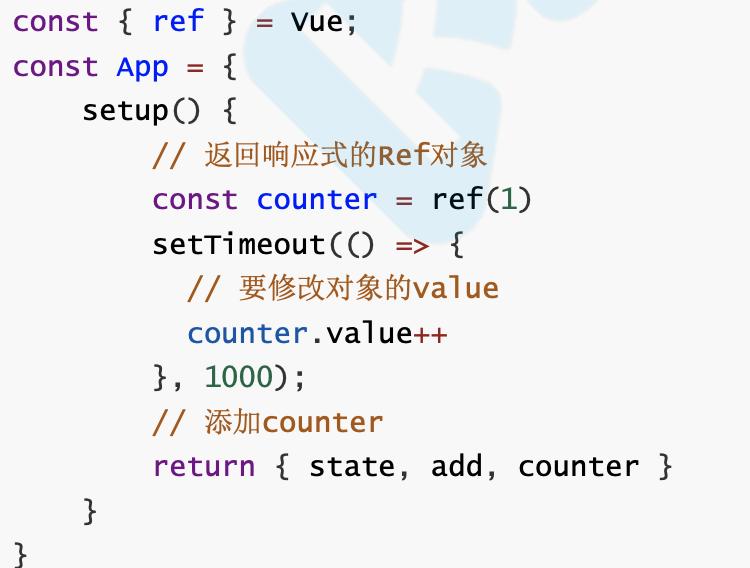
# 5. 引用对象:单个原始值响应化
<div>counter: {{ counter }}</div>
@前端进阶之旅: 代码已经复制到剪贴板
# 6. 体验逻辑组合
const { createApp, reactive, onMounted, onUnmounted, toRefs } = Vue

// 鼠标位置侦听
function useMouse() {
      // 数据响应化
      const state = reactive({ x: 0, y: 0 })

      const update = e => {
            state.x = e.pageX
            state.y = e.pageY
      }
      onMounted(() => {
              window.addEventListener('mousemove', update)
      })

      onUnmounted(() => {
         window.removeEventListener('mousemove', update)
      })

     // 转换所有key为响应式数据
    return toRefs(state)
}

// 事件监测
function useTime() {
    const state = reactive({ time: new Date() })
    onMounted(() => {
          setInterval(() => { state.time = new Date()
     }, 1000) })
    return toRefs(state)
}

// 逻辑组合
const MyComp = {
      template: `
      <div>x: {{ x }} y: {{ y }}</div> <p>time: {{time}}</p>
      `, setup() {
      // 使用鼠标逻辑
      const { x, y } = useMouse() // 使用时间逻辑
      const { time } = useTime() // 返回使用
      return { x, y, time }
   }
}
createApp().mount(MyComp, '#app')
@前端进阶之旅: 代码已经复制到剪贴板
对比mixins,好处显而易见:
x,y,time来源清晰- 不会与
data、props等命名冲突
# Vue3响应式原理
# Vue2响应式原理回顾
// 1.对象响应化:遍历每个key,定义getter、setter
// 2.数组响应化:覆盖数组原型方法,额外增加通知逻辑
const originalProto = Array.prototype
const arrayProto = Object.create(originalProto)

;['push', 'pop', 'shift', 'unshift', 'splice', 'reverse', 'sort'].forEach(method => {
    arrayProto[method] = function() {
       originalProto[method].apply(this, arguments)
      notifyUpdate()
    }
} )

function observe(obj) {
  if (typeof obj !== 'object' || obj == null) {
return
}
// 增加数组类型判断,若是数组则覆盖其原型
if (Array.isArray(obj)) {
    Object.setPrototypeOf(obj, arrayProto)
} else {
    const keys = Object.keys(obj)
    for (let i = 0; i < keys.length; i++) {
      const key = keys[i]
      defineReactive(obj, key, obj[key])
    }
  }
}

function defineReactive(obj, key, val) {
   observe(val) // 解决嵌套对象问题
   Object.defineProperty(obj, key, {
     get() {
        return val
    },
    set(newVal) {
      if (newVal !== val) {
         observe(newVal) // 新值是对象的情况 val = newVal
         notifyUpdate()
      }
   }
})
}

function notifyUpdate() {
    console.log('页面更新!')
}
@前端进阶之旅: 代码已经复制到剪贴板
vue2响应式弊端:
- 响应化过程需要递归遍历,消耗较大
- 新加或删除属性无法监听
- 数组响应化需要额外实现
Map、Set、Class等无法响应式- 修改语法有限制
# Vue3响应式原理剖析
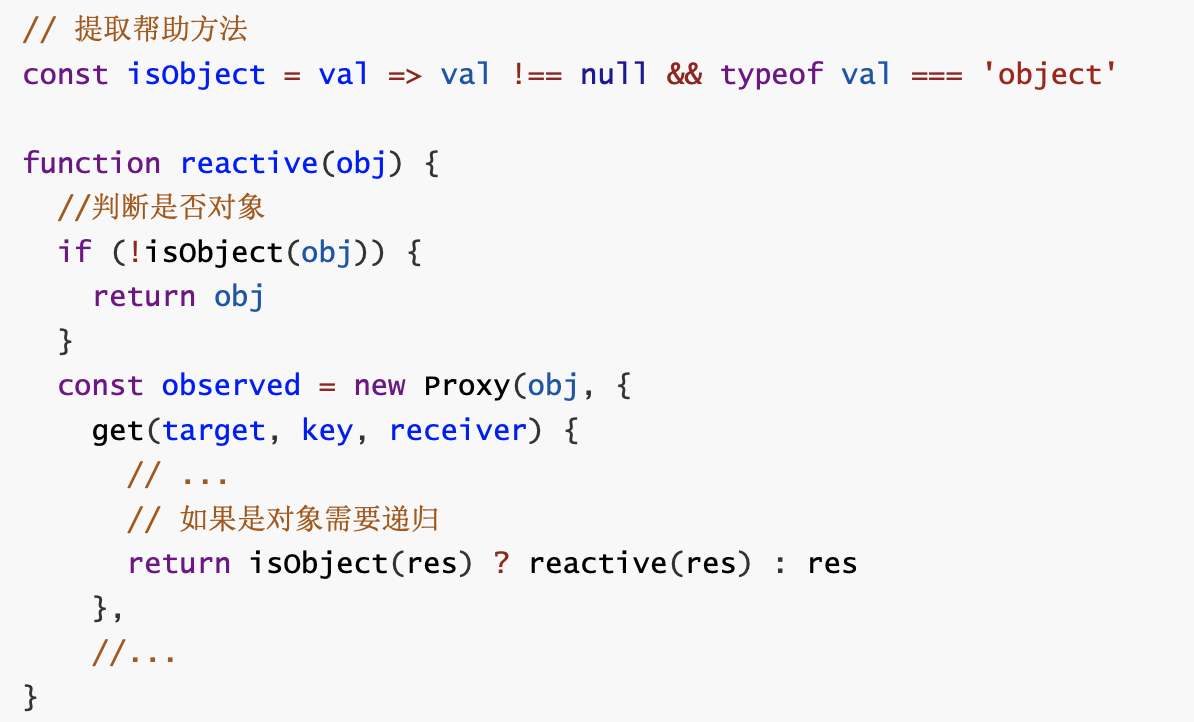
vue3使用ES6的Proxy特性来解决这些问题。
function reactive(obj) {
  if (typeof obj !== 'object' && obj != null) {
      return obj
}

// Proxy相当于在对象外层加拦截
// http://es6.ruanyifeng.com/#docs/proxy
const observed = new Proxy(obj, {
   get(target, key, receiver) {