
公司内部有个脚手架,init 命令要把模板目录里的文件挨个读出来做变量替换,再写到目标目录。模板文件少的时候一直没问题,直到有人拿它去初始化一个文件特别多的工程,命令跑到一半直接断了,报 Error: EMFILE: too many open files。
我第一反应是磁盘满了或者权限不对,查完都不是。真正的原因是 Node 的异步 API 太好用了,一个 for 循环就能在几毫秒内发起几十万个文件打开请求,而操作系统给每个进程的文件描述符是有硬上限的。
这篇把整个排查过程记一遍。从 EMFILE 到底是谁抛出来的讲起,说清楚 ulimit -a 输出里哪一行才是你要看的那一行,为什么调大系统限制只能算救急,最后给出三种把「同时打开的文件数」摁住的写法。
在本篇文章中,我们将从浅入深,和大家一起学习以下知识:
EMFILE是什么错,和ENFILE的区别在哪- 一个
for循环发起 20 万次readFile时,进程内部发生了什么 ulimit -a每一项的含义,以及最容易读错的那一行- 为什么调大
kern.maxfiles只能算绕过去,不算解决 - 用
filequeue限制同时打开的文件数 graceful-fs和手写并发队列这两条替代路线- 排查阶段怎么确认进程真的把 fd 用光了
# 一、EMFILE 是谁抛出来的
先把错误的归属搞清楚。EMFILE 不是 Node 自己定义的错误,它是 POSIX 系统调用的标准 errno,含义是「本进程打开的文件描述符数量已达上限」。Node 只是把 open(2) 返回的这个 errno 原样包装成一个 JS Error 抛给你。
顺着这个说一下容易混的另一个错。ENFILE 少一个 M,指的是整台机器的文件表满了,不是单个进程。日常开发里你碰到的九成九是 EMFILE,因为进程级限制通常远小于系统级限制。看到 ENFILE 说明机器上跑的东西已经很离谱了,那是另一个层面的问题。
还有一点很多人可能没注意到,文件描述符不只是「文件」。socket、pipe、TTY、inotify 句柄全都占 fd。所以一个高并发的 HTTP 服务在完全不读文件的情况下也可能报 EMFILE,因为连接把 fd 吃光了。回到我们这个脚手架的场景,纯粹是读文件读出来的。
# 二、一个 for 循环发起 20 万次 readFile
复现代码很简单,这段就是当时用来验证猜想的最小样本。
for(var i=0; i<200000; i++) {
    fq.readFile('./somefile.txt', {encoding: 'utf8'}, function(err, somefile) {
        console.log("data from somefile.txt without crashing!", somefile);
    });
}
以上导致
Error: EMFILE: too many open files错误。我不必关闭文件,因为显然可以fs.readFile对文件进行操作并为我关闭文件。我在Mac OS上,我的ulimit设置为8192
这里最反直觉的地方是,fs.readFile 明明会自己关闭文件句柄,为什么还会超限。
我一开始也是这么想的。问题出在时序上。fs.readFile 不是一个原子操作,它内部至少要走 open 到 fstat 到 read 到 close 这么几步,每一步都是丢给 libuv 线程池去做的独立任务,中间要绕回事件循环。而那个 for 循环是同步的,20 万次调用在同一个 tick 里全部发出去,一次 close 都还没轮上执行。
于是句柄就在那里堆着。已经 open 成功、还在等待 read 和 close 的文件描述符不断累积,涨到系统给的上限那一刻,第 N+1 次 open 直接失败。
问题不在于「你忘了关文件」,而在于「你在同一时刻要求打开的文件太多了」。
顺带提一句写法。原文这段用的是 var 加回调,放在今天一般会写成 const 加 fs/promises,配合 for await 或者并发控制库。但换成 await 并不自动解决这个问题,如果你用 Promise.all 把 20 万个 Promise 一次性丢出去,效果和上面这段循环是完全一样的,照样爆。并发控制这件事,异步语法糖帮不了你。
# 三、ulimit -a 每一项在说什么
要知道上限是多少,先看系统怎么说。
$ ulimit -a
-t: cpu time (seconds)              unlimited
-f: file size (blocks)              unlimited
-d: data seg size (kbytes)          unlimited
-s: stack size (kbytes)             8192
-c: core file size (blocks)         0
-v: address space (kbytes)          unlimited
-l: locked-in-memory size (kbytes)  unlimited
-u: processes                       1392
-n: file descriptors                256
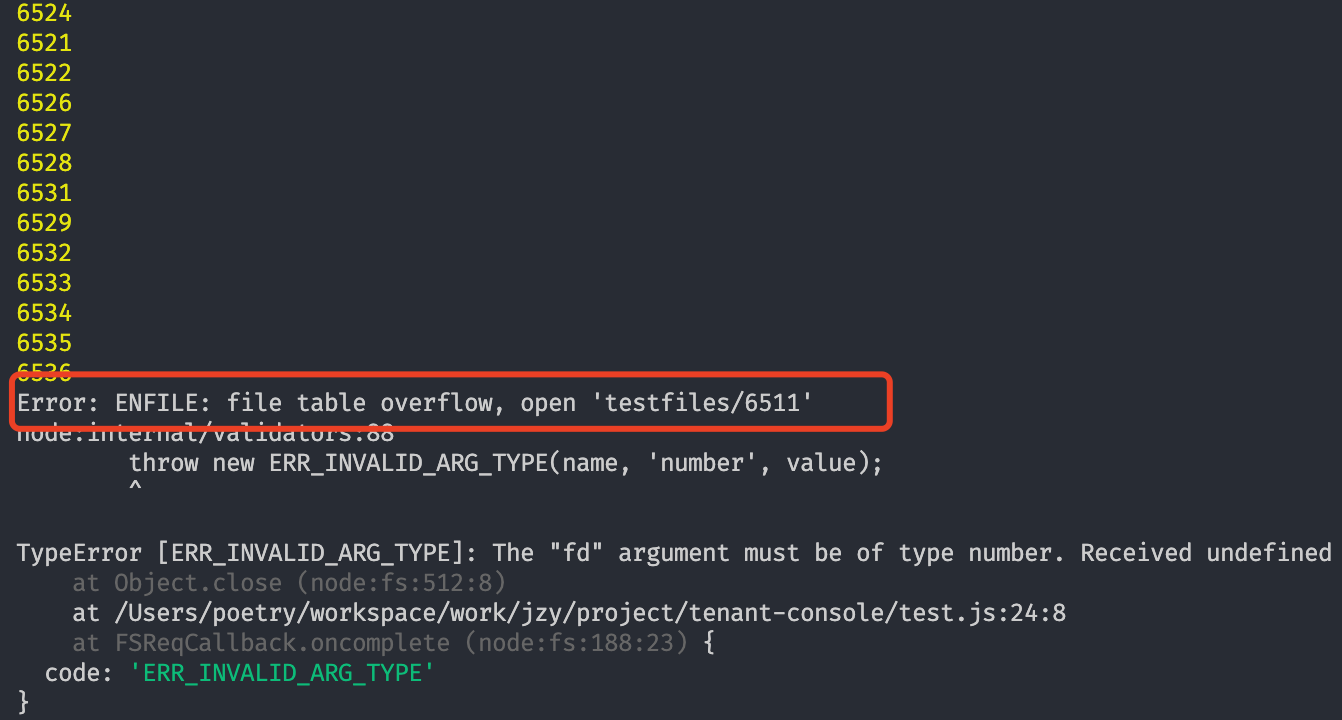
这张图对应的就是上面这段输出。要看的是最后一行。
这里有个坑要注意,原文写的「我的 ulimit 设置为 8192」其实读错了行。8192 是 -s: stack size (kbytes),也就是栈空间 8MB,跟文件描述符没关系。真正管我们这件事的是 -n: file descriptors,值是 256。
256 这个数字有多紧张?你的进程在任意时刻最多只能同时握着 256 个打开的句柄,其中还有一部分被 stdin、stdout、stderr 和 Node 运行时自己占掉了。20 万次并发 open,撞墙是必然的,甚至撑不过前 300 次。
单独查这一项可以直接 ulimit -n,比看全量输出清楚。macOS 默认给的值一直偏保守,Linux 发行版通常是 1024 或者更高,所以同一段代码在 Mac 上炸、在服务器上侥幸跑过去,这种情况我见过不止一次。别拿「本地能跑」当验证通过。
# 四、改系统限制为什么只能算救急
知道是 256 卡住的,最直接的念头当然是把它调大。
$ echo kern.maxfiles=65536 | sudo tee -a /etc/sysctl.conf
$ echo kern.maxfilesperproc=65536 | sudo tee -a /etc/sysctl.conf
$ sudo sysctl -w kern.maxfiles=65536
$ sudo sysctl -w kern.maxfilesperproc=65536
$ ulimit -n 65536
kern.maxfiles 是系统级总量,kern.maxfilesperproc 是单进程上限,ulimit -n 则是当前 shell 会话的软限制。三个都得调,只改一个往往不生效,这是很多人试了一半就放弃的原因。
可以改,但是我不推荐把它当成方案。
理由有三个。第一,它治标不治本,你把上限提到 65536,代码里循环 20 万次照样超;上限只是把崩溃的时间点往后推了一点。第二,这些改动是环境相关的,你在自己 Mac 上改完,同事的机器、CI 容器、线上服务器全都是原样,一个需要「先手动改系统配置才能跑」的脚手架不能算能用。第三,ulimit -n 只对当前 shell 生效,新开一个终端就没了,而写进 /etc/sysctl.conf 的那两行在较新的 macOS 上不一定会被自动加载,得靠 launchctl limit maxfiles 那套,版本差异挺大的。这块我没有在每个 macOS 版本上都验证过,遇到不生效的情况建议直接查当前系统的文档。
所以调限制这条路,我的定位是排查阶段用来验证猜想的手段。把 ulimit -n 临时调到 4096,如果程序恰好多跑了十几倍的文件数才崩,那就基本坐实了是 fd 打满,而不是别的什么问题。验证完就该回来改代码了。
# 五、用 filequeue 限制同时打开数
真正的解法是给「同时打开的文件数」加一道闸。请求还是那 20 万个,但任何时刻只放 100 个进去,处理完一个再放一个进来。
filequeue 就是干这件事的。
Instantiate Filequeue with a maximum number of files to be opened at once (default is 200)
how to use
var FileQueue = require('filequeue');
var fq = new FileQueue(100);

// additional instances will attempt to use the same instance (and therefore the same maxfiles)

var FileQueue2 = require('filequeue');
var fq2 = new FileQueue2(100);

console.log(fq === fq2); // => true

// you can force a new instance of filequeue with the `newQueue` parameter

var fq3 = new FileQueue(100, true);

console.log(fq === fq3); // => false
这段里最值得看的是中间那个 fq === fq2 为 true。filequeue 默认是单例的,你在项目里不同模块各自 require 一次、各自 new 一个,拿到的其实是同一个队列,共享同一个 maxfiles 配额。
这个设计是有道理的。限额的对象是进程的 fd 总数,如果每个模块都能开一条自己的 100 并发队列,五个模块加起来就是 500,闸门等于白装。想要独立队列的话就传第三个参数 newQueue 为 true,但传之前先算清楚各条队列的并发数加起来有没有超过 ulimit -n。
filequeue支持以下方法
readFile
writeFile
readdir
rename
symlink
mkdir
stat
exists
createReadStream
createWriteStream
这个清单要对着看一眼。它覆盖的是 fs 里常用的那批异步方法,签名和 fs 保持一致,所以接入成本几乎为零,把 require('fs') 换成 new FileQueue(n) 就行。但它并没有覆盖 fs 的全部 API,fs.promises 那一套、copyFile、watch 这些都不在里面。如果你的代码里混着用了没被代理的方法,那部分请求是绕过队列直接打到系统的,闸门就漏了。这个我踩过,排查了半天发现是一个模板路径解析的工具函数里还留着一行原生的 fs.readFileSync。
改完之后的循环长这样。
var FileQueue = require('filequeue');
var fq = new FileQueue(100); // 限制每次打开的文件数量

for(var i=0; i<200000; i++) {
    fq.readFile('./demo.txt', {encoding: 'utf8'}, function(err, somefile) {
        console.log("data from somefile.txt without crashing!", somefile);
    });
}


