
8.0
热点
AI SCORE
编程提效2026-08-13 08:00
Cursor Agent 环境预构建:启动速度提升 3 倍
Cursor Changelog#Cursor#AI编程工具#开发效率
Editor brief · 编辑速览
Cursor 更新让 AI Agent 在已克隆代码库、安装依赖、运行过安装脚本的环境中启动,显著减少等待时间。
Aug 13, 2026 · Changelog
Agents do their best work when they start in a ready environment: repos cloned, dependencies installed, and your install script already run.
本版本引入 builds:一种即用型的开发环境副本,由 Cursor 在后台预先准备。Agents 启动时直接进入就绪环境,无需每次从头搭建。Cloud Agents 无需额外付费即可使用 builds。
Cursor runs a new build of your environment regularly. When a build succeeds, it becomes the environment future agents start from. Cursor keeps warm copies ready so the next agent does not wait. Internally, our environments now boot 10x faster, with 3x faster time to first token.
Use your install command for anything that can be prepared ahead of time. The start command still runs when you first prompt an agent and should focus on services that need to be fresh in the session.
#More resilient agent runs
当坏提交或依赖更新破坏环境时,agents 会继续使用上一个成功的构建版本。破损的构建永远不会变为活跃状态,系统会通知你问题所在,而你的 agents 继续正常工作,你可以在后台进行调试。
#Build history and debugging
每个环境在 Cloud Agents 面板中都有一个 Builds 标签页。你可以检查构建状态、日志、commit SHA,以及每次 agent 运行所使用的具体构建版本。Agents 也可以使用内置工具来检查和管理构建。
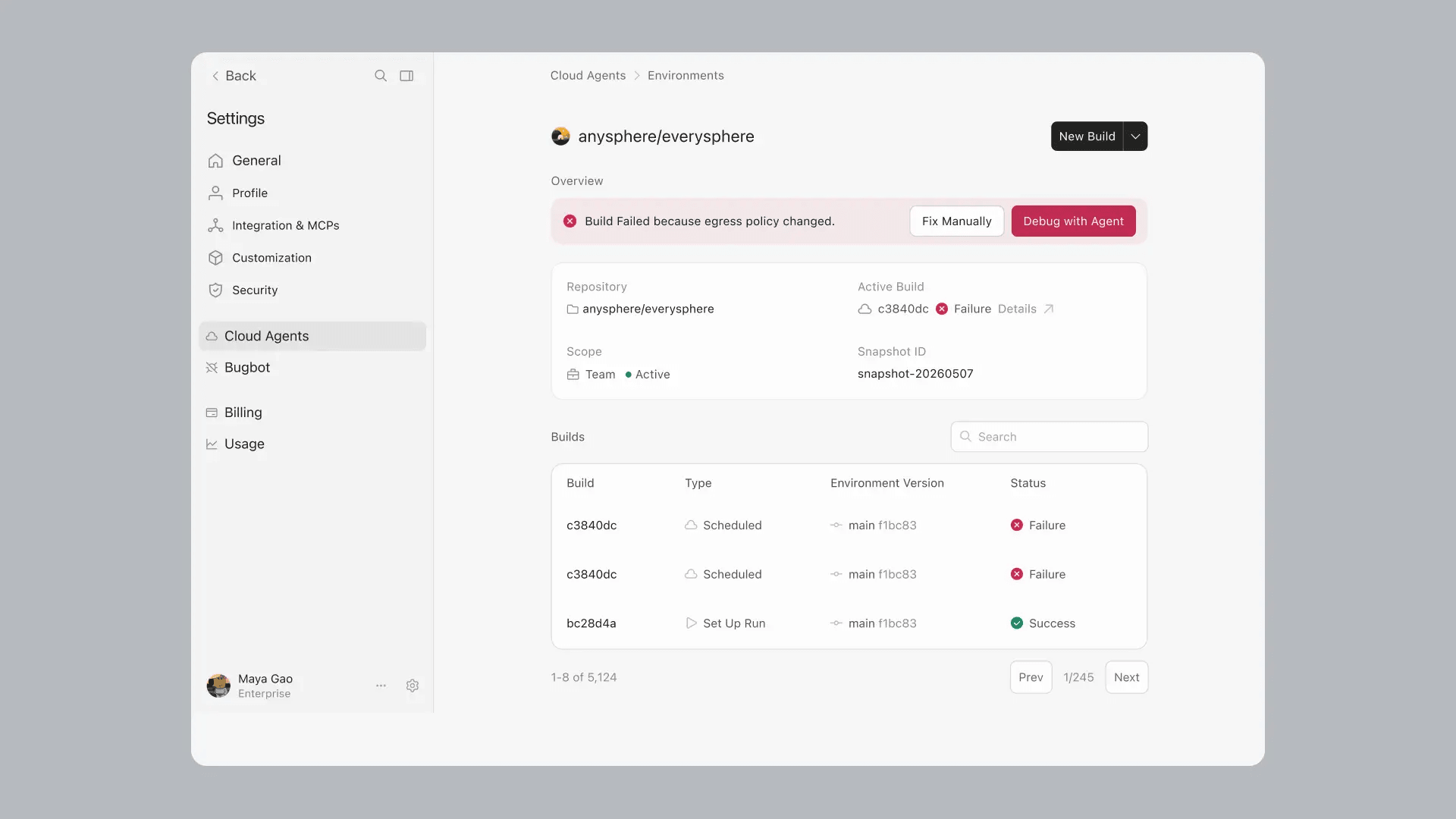
新环境会自动使用 Builds 功能。对于现有环境,在 Cloud Agents 面板中打开它,进入 Builds 标签页,然后点击 Enable Builds。或者点击 Run setup agent 先测试迁移过程并审查任何建议的配置更改。
你也可以手动触发一次 Build,用 agent 调试失败的 Build,并通过可配置的阈值来控制过期 Builds 的刷新方式。
在公告文章和文档中了解更多。